

About Harpenden Online
Harpenden Online is a simple and safe way to manage your account(s) online, wherever you are. Register for Harpenden Online to enjoy the convenience of:
- Account opening and access to our online savings products
- Request payments to your nominated account
- 24/7 access to view your accounts on any device
- Check your interest rates and account information
- Update your personal contact information
- Opt in to receive our marketing email communication
- Securely communicate with our Member Services Team
For a comprehensive list of frequently asked questions for using Harpenden Online, click here.
Some quick tips from our Member Services team…
Opening a savings account online…
• When opening an account online, you can set up your account password at the application stage of the process
• Also, please ensure you digitally sign the application and consent to an electronic identification check – which we need to successfully complete to fulfil the process
Managing your account online…
• If you’re unable to remember your password – select the ‘forgotten details’ link and follow the process to reset your password
• As a prompt – your User ID is a unique 7 or 9 digital ID
• When you are logged in to your account – to request a transfer online please select ‘Transfer’ and complete the relevant options
• To cancel a transfer request please select ‘Transfer’ and then click on ‘Outstanding transfer request for all accounts’ – then complete the process necessary
• For all savings products – the minimum and maximum balances still apply when transferring funds online
• To request a closure please select ‘Details’ and then ‘Account Closure’
• To ensure transfers are actioned smoothly, you should input in the reference box when requesting a transfer what the reason is for withdrawing
• When transferring funds online into a savings account, it can take up to 24 working hours for the balance to be updated
Our Member Services team are on hand to help, you can contact them on 01582 765 411 or on enquiries@harpendenbs.co.uk
Take a look at Issue 1 Part 1 of Mutual here.
Related Mutual

JAN 08, 2026
Colleague Support 2023
Here we explore the recent contributions and support of our colleagues we have provided within our local communities and branch locations.
JAN 08, 2024
Romance Scams
Ahead of Valentine’s Day, UK Finance’s Take Five to Stop Fraud campaign is warning people to stay alert to criminals posing as an online love interest. According to the UK Finance 2023 half year fraud update*, a total of £18.5 million was lost to romance scams during January to June 2023, an increase of 26% when compared with the same period in 2022. With 2,120 cases being reported and a total of 18,889 payments being made in the first half of 2023 for this scam type.
JAN 08, 2024
Parcel Delivery Scams
In an age where we all want things instantly, the delay of a delivery can be incredibly frustrating. Often, we will do anything for an order to be with us as soon as possible. This frustration and impatience are what criminals of this scam thrive on and look to target.
JAN 08, 2024
Our volunteering in 2023
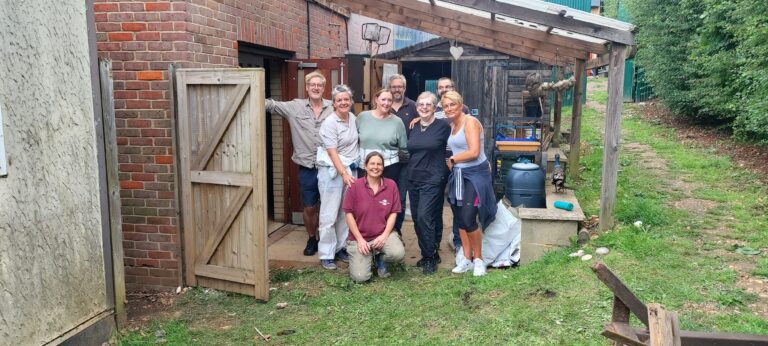
As part of our 70th Anniversary celebrations, aligned with our continuous commitment to local communities, we set ourselves a target of 70 hours’ volunteering in 2023 - and we delivered over 300 hours!
JAN 08, 2024
Jon’s Blog – Practical ways to save money
We all understand the importance of saving! In a cost-of-living crisis - that is showing little sign of slowing down, no one should begrudge anyone for having a little treat every now and then, whether that be some new clothes, a new piece of tech or my own nemesis - going out for a curry...the spicier the better! With that in mind, here are some tips I believe are practical ways to save money, but still be able to treat ourselves guilt-free!

JAN 08, 2024
70th Anniversary
2023 was a special year as we marked our Platinum Jubilee, celebrating 70 years of helping people to buy their own homes and save for their future.
JAN 08, 2024
7 ways to save energy this winter at home
We’ve put together some cold weather energy saving tips to help you reduce the amount of energy you use at home, which can save money on your bills and help reduce carbon emissions this winter.
JAN 08, 2024
Community Support 2023
Our communities are at the heart of what we do... and we are committed to helping support local events, clubs, initiatives and causes as much as we can. Here we explore the recent contributions and support we have provided within our local communities and branch locations.