


Confirmation of Payee (CoP)
What is confirmation of payee?
Confirmation of Payee (CoP) is a name checking service which helps provide assurance that electronic payments are being sent to the personal or business account you intend them for. It has been designed to help avoid accidental, misdirected payments being sent to the wrong accounts, as well as providing an additional layer of protection in the fight against fraud and scams.
Confirmation of Payee helps make sure you are sending money to the right account by allowing you to check that the name on an account matches that of the intended recipient before you make the payment. That way you can have confidence that you know you’re sending money to the account you intend it to go to and this means you have more protection against fraud.
Sending Faster Payments, CHAPS and BACS
If you’re paying into a Personal Account, use your first and last name rather than account name.
Correct example: Samantha Jones
Incorrect example: Mrs S Jones
These are the details you need for paying into a Savings Account:
SORT CODE: 40-05-30
ACCOUNT NUMBER: 34577388
REFERENCE: Use your existing 10-digit account number
You can find your 10-digit account number in your passbook, recent letters from us or by logging into your online account.
Here’s a few FAQs to help you with CoP
If you are unsure about receiving payments to your Harpenden Building Society account or have any questions about Confirmation of Payee, you can contact our Member Services team on 01582 765 411 or pop into one of our branches.
When sending money to your Harpenden Building Society account, you can expect to see any of the below results; here’s what they each mean:
Account name is a match
This means the name is a match to the account. Whilst you can have confidence that the name is a match to the account, if you are sending money to someone else’s Harpenden Building Society account, make sure that you know and trust the person or business you are sending money to.
Account name is a partial match
This means the account name is a close match. You’ll be shown the name on account to help you decide whether it’s the right person. Please double-check the account details and complete another Confirmation of Payee check before deciding whether to send any money. If you choose to continue with only a partial match, we may be unable to get your money back, should the account not belong to the intended recipient.
Account name has not matched
This means the name does not match the name held on the account. Please double-check the account details and complete another Confirmation of Payee check before deciding whether to send any money.
If the name still does not match we strongly advise that you do not make the payment. If you choose to continue where the name has not matched, you may be unable to get your money back.
Unable to check the account
This means it has not been possible to check the name on the account. This message can appear for a variety of reasons such as the account details entered do not exist or the payee has opted out of Confirmation of Payee. Please double-check the account details and complete another Confirmation of Payee check before deciding whether to send any money.
If you are registered for Harpenden Online, you can check whether a payment has been received.
If you are not registered for Harpenden Online, please call our Member Services Team to check if your payment was received.
If you are an existing savings passbook holder with the Society, you can register to track your balances, monitor your transactions and contact us online. Please visit our Harpenden Online page for more details.
Please note that money can take up to one working day to show in your Harpenden Building Society account.
Confirmation of Payee helps prevent misdirected payments and potential fraud giving you more protection when making payments to your account.
You can ask us to stop your details being checked when you or someone else sends money to your Harpenden Building Society account. If you chose to opt out, you or someone else can still send money to your account, however the “Unable to check the account” message will be returned before the monies can be sent to your account.
Consider carefully whether opting out is right for you, Confirmation of Payee gives you added protection against fraud and scams. A third party may choose not to make a payment to you if they cannot verify the account name.
If you would like to opt out, please download and complete the form below – whichever version you need:
Yes, if you would like to opt back in to Confirmation of Payee for payments received to your account, please download and complete the form below – whichever version you need:
It’s always important to take extra care when it comes to sharing your account details.
• Never share your secure details (such as username or full password) with anyone.
• Never send any confidential account information via email or phone.
• Never transfer your money out of your account at the request of an unknown caller. We will never ask you to do this over the phone or by email. If you’re unsure, please call us on 01582 765 411.
• Never let someone you don’t know access your computer or mobile devices, especially remotely.
• Don’t click on any links in suspicious emails or text messages, delete them from your computer and block the sender’s email address and phone number.
• Be suspicious of any unexpected calls, texts or emails from third parties asking for personal information.
• Think twice before sharing personal information on social media sites and check your privacy settings. The more private, the safer you are.
Latest News


Industry
Fixed Rate product update
FOR INTERMEDIARY/PROFESSIONAL ADVISORS ONLY. NOT FOR CONSUMER USE.

Latest News
Harpenden wins ‘Best Local Building Society’ at the 2026 What Mortgage Awards
Harpenden Building Society wins ‘Best Local Building Society’ for the 12th year in a row, as well as being marked ‘Highly Commended’ in the ‘Best Specialist Lender’ and ‘Best Large…
Industry
Harpenden launch Expat mortgages
FOR INTERMEDIARY/PROFESSIONAL ADVISORS ONLY. NOT FOR CONSUMER USE.

Community
Jon’s Savings Blog – ISA Changes in 2027
There’s a famous saying: “The best time to plant a tree was 20 years ago. The second‑best time is now.” Well, when it comes to ISAs… the tree is about…

Latest News
A Q&A with our CEO Tracie
Here’s a quick Q&A from our CEO Tracie Meadows diving into our new rebrand.
Industry
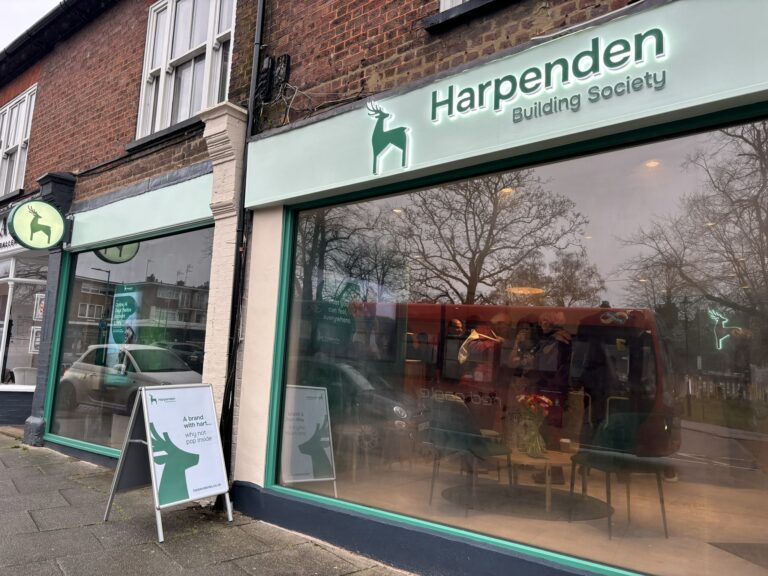
We celebrate our new branch opening in Harpenden
We are thrilled to announce the launch of our brand-new branch, located right on the High Street, in one of the busiest areas of Harpenden. The doors opened on the…